How to Migrate & Transfer Your Settings
OmniControl
User Manual

One interface. All your tools. Built for Digital Wood Carver and powered by PlanetCNC TNG.

OmniControl Has Landed — The Future of CNC Control Is Here

Livestream Replay
Download OmniControl

What is OmniControl?

OmniControl is a powerful new user interface custom-built for Digital Wood Carver CNC machines. Seamlessly combining milling, laser, rotary, and probing functions into one streamlined dashboard, it's designed to make your CNC work smarter, safer, and faster.

OmniControl Home Interface (DWC2440)

Key Features

Download OmniControl
Screenshot of a computer control interface for a CNC machine, showing tool table settings and machine parameters, with a dark green background and various control icons on the sidebar.

Tool Rack Configuration Panel (Auto Tool Change Setup)

A CNC machine control screen with various settings and a diagram showing instructions for configuring a 4th axis for rotating a wooden piece, including input for stock diameter, spindle speed, and delay times.

Rotary Axis Speed Calculator for 4th Axis Operations

  • Unified Interface for mill, laser, rotary, probe

  • Enhanced safety systems

  • Tool change automation

  • Multi-coordinate system support

  • Real-time machine monitoring

  • Warp compensation

  • Rotary support with speed calculation

  • Custom profiles and macros

Screenshot of a CNC machine control interface showing various settings and coordinate system options on a dark themed display.

Coordinate System Configuration Panel

How to Install OmniControl

Step-by-step guide to install OmniControl and select correct machine profile.

 Installation Warning

DO NOT install OmniControl until you've watched the official livestream event.

This release introduces powerful new features — but it must be installed properly to avoid issues with your machine's performance or compatibility.

🗓️ Watch the livestream Thursday, June 19, 2025 at 7:00 PM EST.
🚡 Installing too early or incorrectly can disrupt your system.

Watch Livestream Replay

Download OmniControl Software

Standard Units

HD Units

DWC4848

DWC5100

Digital Wood Carver Vectric Setup Files including Post Processors - Download

A CNC machine control software interface showing a prompt to verify the carving area boundaries on a wooden workpiece, with a graphic illustration of the tool and workpiece.

Interface Screenshots

Trace Carving Area Workflow

A screenshot of a laser cutting or engraving software interface showing a laser process starting, with a laser beam focused on a wooden surface, and settings for laser mode, spindle speed, and delay times.

Laser Mode Enabled Interface

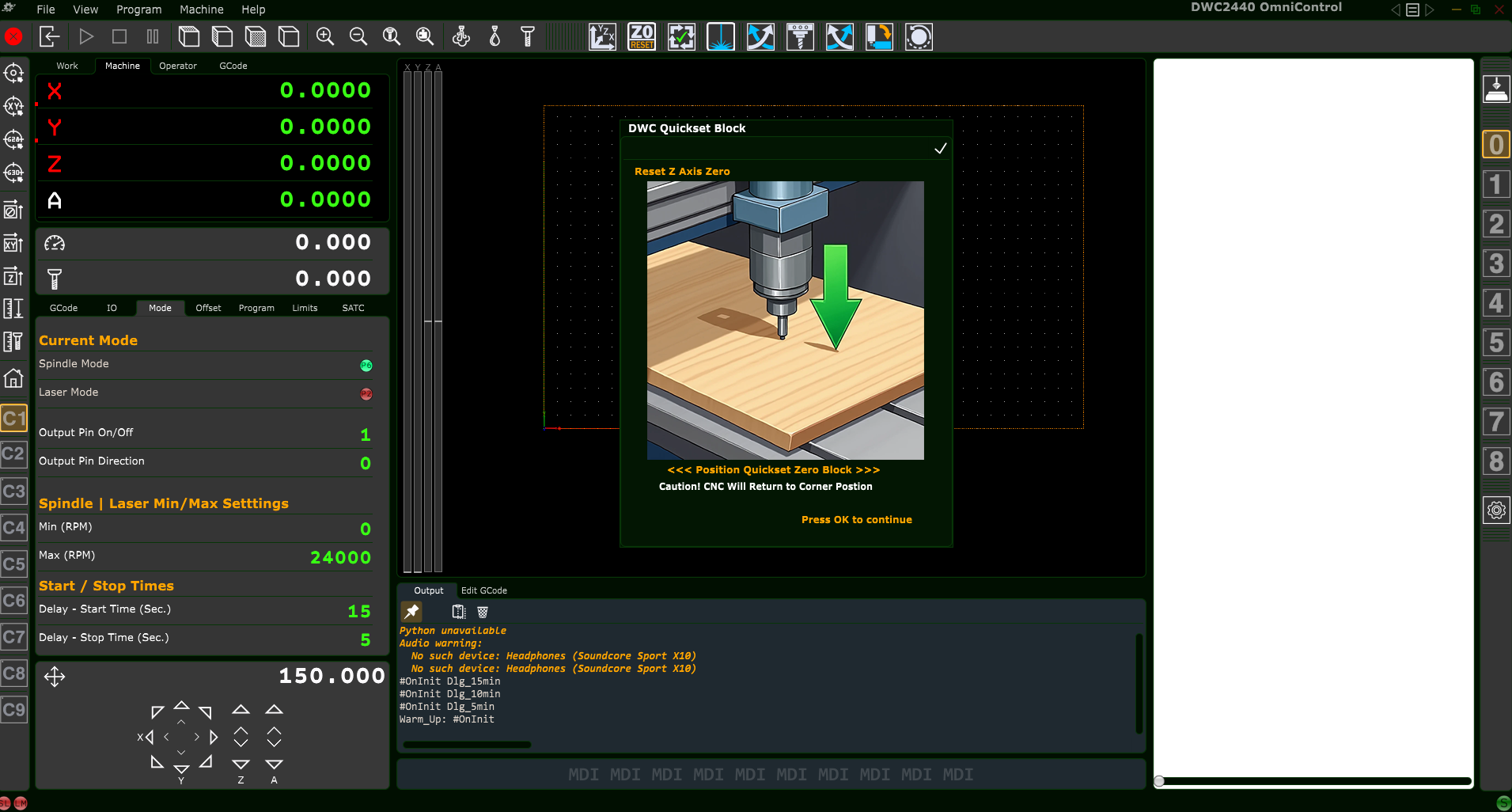
Screenshot of CNC machine software interface showing a prompt to reset the Z axis to zero, with an image of a CNC drill bit positioned above a wooden workpiece and green arrow indicating downward movement.

Quickset Z-Axis Zero Block

Screenshot of a CNC machine control software interface. The screen displays settings and status indicators, including current mode, spindle and laser settings, and start/stop times. The main display area is blank with a rectangular outline, and the bottom section includes warning messages and control options.

OmniControl Home Interface – ATC Model (DW5100)

Support Info

(833)392-2621 Ext 2
sales@digitalwoodcarver.com